#43 - Android's new AI trades flashiness for smarts - Mindy Brooks
Jason Hiner (00:01.186)
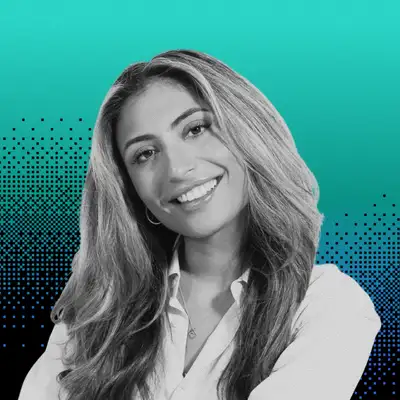
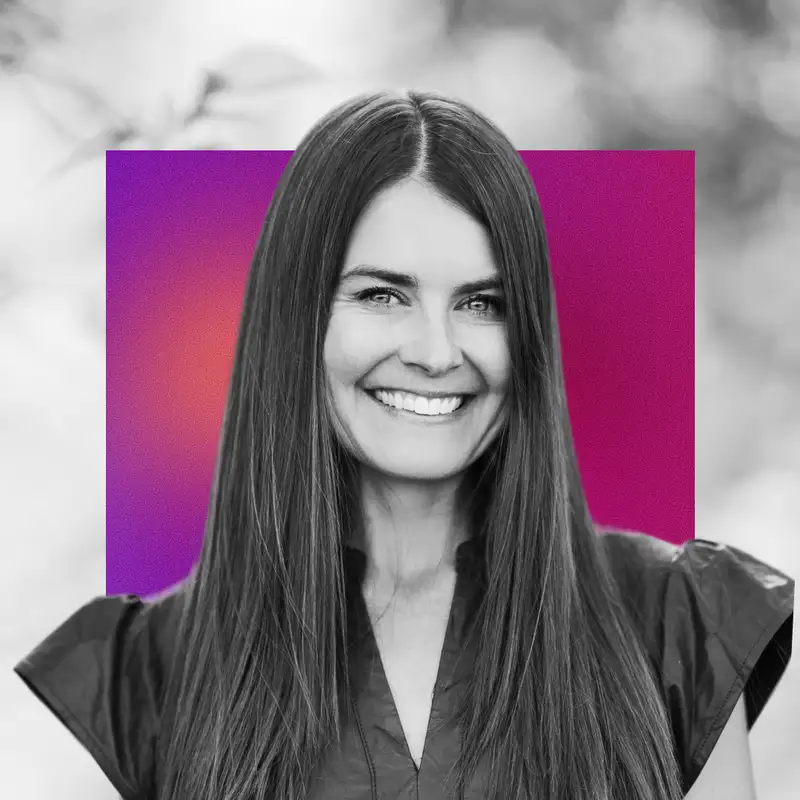
In this episode, senior reporter Sabrina Ortiz talks to Mindy Brooks, VP of Product Management at Google, about the latest AI features just announced for Android. In an exclusive interview for the DeepView, Brooks breaks down the roadmap for Gemini Intelligence for Android and explains how Google is now focusing less on making a big deal about the magic of AI and more on solving user pain points and saving small chunks of time across a lot of different tasks.
Sabrina and Mindy talked about the big task automation feature, which was first announced in beta for the Samsung Galaxy S26 and the Google Pixel 10, and is now integrating a lot more apps. And they talked about the three new features announced today. Create My Widget uses AI to build custom Android widgets for you for everything from tracking the status of orders to following specific details about your favorite sports teams. Intelligent Autofill.
reaches into your Gemini personal intelligence to find the details to fill out forms in real time. And Rambler for Gboard is a voice dictation system that uses AI to get rid of the ums and ahs and make talking to your phone a lot more smooth. Think Whisper Flow, but directly integrated into the system in ways that are a lot more seamless. They also talked about which features are coming to which devices and when.
and the feature that Brooks herself is already using the most. So here it is, our interview with Mindy Brooks of Google Android.
Sabrina Ortiz (00:00.918)
Mindy, I'm so, so excited to have you here on the podcast and to chat with you about this really exciting announcement. But before we get right into it, we'd love for you to give our audience a little peek into your role at Google and what exactly you do.
Mindy Brooks (00:15.539)
Awesome. It's so good to be here and see you. So my name is Mindy Brooks, and I lead Android consumer product and experience. So I lead the product and user experience for Android platform. So really thinking about transforming the OS and continuing to make it into a great experience for users around the world. So that's really where I'm focused.
Sabrina Ortiz (00:38.03)
And we're here chatting today all about the Android show. So the Android show, for all of you who aren't familiar, is when Google takes the opportunity to share all of the biggest announcements across Android, which of course spans a ton of different devices too. And today we have one specifically really big thing coming to Android. Mindy wants to us a bit more about the whole Gemini intelligence for Android.
Mindy Brooks (01:03.977)
Yeah, I'm really excited to announce and for you all to see Gemini Intelligence, which is essentially a suite of features that brings the best of Gemini on our most advanced devices. So with Android fundamentally evolving from an operating system to an intelligence system, your device can truly understand you, works to translate your intention into action. So what this really means is it can help you stay ahead.
It works proactively to get things done throughout your day and really helps ensure that you're making the most of your time. So we're really excited about all of these features that will begin to roll out in waves later this year, starting first with Samsung Galaxy and Google Pixel later this summer.
Sabrina Ortiz (01:48.633)
Yeah, when I was reading about this announcement, I was super excited that it seemed like it's a lot of individual features that we've already either previewed within Pixel and Samsung Galaxy devices, or also features that I've seen like scattered throughout the AI ethos of, you know, everyday startups and just companies and different products that are coming out that Google is kind of integrating now across its own Android platform and things that seem to be in high demand.
I guess we could start unpacking the features. One of the ones that, of course, really stood out to me is kind of this expansion about automated tasks, which I would love to hear more from you from.
Mindy Brooks (02:29.597)
Yeah, so we essentially have three buckets of features coming, which is how do we make sure it's more personal? How do we make sure it's more proactive and more productive? So it's like three buckets. But first, before we dive into the automation, I just want to kind of set the stage in terms of some of the things you'll see. So first and foremost, you'll see an additional UI refresh. So building on top of Material Expressive, we wanted to make sure that we are pulling forward a design that helped to...
visually indicate to a user when AI was at work for them on their device, helping point, direct your attention, but then fade into the background to get out of your way. And so you'll see this new visual intelligence come through in the OS to kind of set the stage. So then you have the three buckets of features. So.
I'll jump to your one on automation. So as you know, we started to launch a beta earlier this year, a labs feature on automation. And what I call this is essentially automating your digital laundry. What you hear from people around the world is like, hey, I've got so much to do and so many tasks online. And I just want to spend my time where I want to spend my time. Like for me,
That's being outside, it's being with my husband, it's taking my dogs for a walk, like all of those things. I want to be able to do more of that in my life. So what we see automation as bringing is really automating that digital laundry. So we're really excited to continue to expand that later this year. So one example of what we're bringing is more multi-modal capabilities. So for example, I can take a picture of a brochure. Say I see a brochure for a coffee tasting tour in Costa Rica.
I take a picture of it, I'm able to say, hey, Gemini, help me find this tour on Expedia for six people. And it just gets to work. It engages me when I need to take a look and be able to engage with it and say, yeah, that's what I want. No, that's not what I want. But then it can go forward with helping book your tour for you. Just such things that help make it very simple, very seamless, but kind of do some of that leg work that allows you to spend your time where you want to spend your time.
Mindy Brooks (04:42.825)
So that's what I'm really excited about the automation expansion and continuing to build that out for users.
Sabrina Ortiz (04:48.568)
Yeah, I was at Samsung Impact this year when this automation feature, or I first saw Google, I guess, preview or launch this automation feature. And even I think I to wait a month for it to fully be actually rolled out. And then once I started tinkering with it, it was really, really exciting for me because it's like, we've seen previews of this technology before. We've seen people talk about it and it seemed so futuristic and it seemed like, surely this sounds great, but...
it'll take years till I could actually order me an Uber or order me DoorDash. And then even now on my Galaxy S26 Ultra or my Pixel 10, I'm able to use it to do some of these simple tasks. And to your point, I think one of the best things isn't the fact that it's doing something super challenging for me. Obviously I'm capable of ordering my own Uber just fine. But the fun thing is not having to actually be glued to your phone while you're doing it.
you know, if you're running out of the house and you want to put your shoes on and like maybe apply lipstick and lip gloss one last time and take a selfie while it's ordering the Uber in the background, it's just one last thing that you don't have to think about. And I see a lot of value in different tasks of that sort. So excited to see it expand to other categories, too. Do you use that automation feature at all?
Mindy Brooks (06:06.367)
Yeah. definitely. I definitely do. I mean, I love being able to order my usual just things that just kind of save me a minute, save me a couple of minutes here and there that I can kind of get that time back. those are all ways in which I think we're going to continue to build on this feature after feature to make it even better and more useful for users.
Sabrina Ortiz (06:30.252)
Yeah, totally. Have you heard any positive feedback or any feedback from the beta that now you're implementing to in this expansion?
Mindy Brooks (06:38.035)
Yeah, we've heard great feedback on people's ability to use it to just tackle these small digital laundry pieces. I think there's obviously the ask to have more apps integrated, more functionality. So we're hard at work to do that.
Sabrina Ortiz (06:54.858)
Awesome. So that's that bucket. And then there's some other buckets that are also pretty practical features that might be less flashy than maybe ordering or booking a trip for you, but also super helpful. So I'll let you, I guess, move on to bucket number two.
Mindy Brooks (07:12.905)
Yeah, so the next bucket would be how it's more personal. And really that shift into knowing you and your needs and being able to help support you. So one of the features there is Create My Widget. So really using Jim and I to help create customized widgets for you, such things as simple things as being able to track sports scores and things like that to even tracking some orders of some clothes I wanted to buy or something like that to get a price check.
interesting, more creative ways to be able to make it more personal for you and to make your phone more yours, and to be able to do that cross-form factor too on your watch as well. So that's one area that we've been working to expand the Create My Widget functionality. The other one I would call out is Intelligent Auto-Fill. This is really about, you know, I don't know about you, but I can't remember my password number for the life of me. So when I'm going to fill out forms,
that it actually taps into Geminis Personal Intelligence and it's able to automatically populate that information for me on the fly. Again, saving those moments so you can spend it on where it matters. And so really helping it become even more useful, autofill more useful, more timely and more supportive, being able to tap Geminis Personal Intelligence. So we're really excited about that. So saving those extra steps, helping you really be able to get more done.
Sabrina Ortiz (08:40.182)
I really like the, ooh, sorry, I gonna say I really like this Create My Widget feature because I think one of, or at least to me, biggest standouts of Android has always been how personalized you can make it. It's really fun whenever you see an Android user and you look at their homepage and then you look at somebody else's and it's quite literally never the same or it's super fine-tuned to what they want to see. And I think the Create My Widget feature will really help build on that and take it a little step further.
I'm curious when you're thinking of how you're going to implement AI into, again, the Android experience, if you're taking into account how to still stay true to the Android experience, such as personalization, while still implementing some of the newer AI features, but without drifting too far away from the brand.
Mindy Brooks (09:30.592)
Yeah, I think one thing that Android has always done so well is being able to customize for you as a user. And so I think we're really trying to stay true to that and using AI to help you do even more. And so that's what we're trying to lean into here is like, yes, you can have a widget already today, but what if you can actually customize and personalize to make it even more unique for your needs in that moment?
and being able to do that cross-form factor. So that's a really exciting element that we're really staying true to the brand, but also using the power of AI in really unique ways.
Sabrina Ortiz (10:02.252)
Yeah, before we move on from the widgets altogether too, I'm curious if you have any that you've created that you're super excited about.
Mindy Brooks (10:08.245)
I've done a number of them. So I'm a diehard sports fan and I'm an Oklahoma City Thunder fan. So I often have different widgets going on the game countdowns to the game. Who's on the injured list?
Sabrina Ortiz (10:24.184)
Wow.
Mindy Brooks (10:24.629)
And like really tracking interesting things that are relevant for me as a sports fan. That's one that I've used recently, because obviously we're in the NBA playoff time zone. that's one I've been actively using. So yeah.
Sabrina Ortiz (10:39.256)
That's so fun. Were you able to tweak it to offer things like general sports apps that currently have widgets already available don't particularly include?
Mindy Brooks (10:46.665)
Definitely, definitely. And there's other ones that you can do too, which is like create a widget that proactively shares weekly recipes, for example, or just things like that that are just very uniquely tuned to me. One I've tried was creating a widget that actually tracks the game, but also tracks my heart rate at the same time.
just for fun, to see when I'm spiking, when I'm not. So those are fun ways that we've been testing out a number of different ways to make it uniquely me. And obviously make it more personal and fun and useful.
Sabrina Ortiz (11:22.83)
I love that too, because I feel like usually with something like even what you just mentioned, the heart rate and like actually watching the games, it'd be one of those things where you'd be maybe all like a Super Bowl and be like, how fun or how crazy would it be if an app existed that could do X, Y, and Z? now you could not wonder and add a prompt in and then get a widget that does just that. So that's pretty fun. Thanks for sharing that. OK, third bucket, right?
Mindy Brooks (11:37.045)
That's right.
Mindy Brooks (11:43.039)
That's right. That's pretty good. Yeah.
Mindy Brooks (11:49.972)
And the third bucket is on personal experiences. So this one I'm actually really excited about, and it's how we're re-imagining the keyboard. We call this Rambler. So I don't know about you, but it's okay.
Sabrina Ortiz (12:00.011)
I'm so excited for this, by the way. I read about it and I was like, where has this been? I've always wanted this. So yes, please, please tell us more.
Mindy Brooks (12:04.321)
Exactly.
I mean, the user pattern that we started seeing, and I think we can all feel this to our bones, is when you do voice dictation, you're often having to micromanage the voice dictation. You're like having to go check it and check it for all the ums and ahs and extra words I add in, or if I start having a side conversation. And then you're doing a lot of editing. And we're like, what if we can use the power of Gemini to just tighten that up? And so Rambler is our new voice to text.
dictation tool that will allow, takes out the ums and ahs and helps just concisely communicate what you want in a really unique and powerful way. So it just takes out the ums and ahs, proactively cuts through all that uncertainty and transcribes a concise message that is in your voice and tone. So really excited about this one. has, user feedback has been really great. We're excited to expand that functionality over time.
Sabrina Ortiz (13:05.464)
Yeah, when I read it, was again, super excited and it reminded me a lot of, know, whisper flow. It's like this tool has gone mega viral for the same reason. Cause it just gives you that convenience of just being able to chat and like it just do it, pick up what you're trying to say. And I've since I've been using that, I have been wondering like, when will one of like, know, when will something similar be natively integrated into a device? I'm guess with this experience, it's similar that I wouldn't have to go, I walk the dog.
period. Or like iWalk.com, and the blah blah blah. Instead it would just be able to intuitively pick that up. that right?
Mindy Brooks (13:42.806)
That's exactly right. And one of the interesting things that you'll see in a lot of the demos for the Android show is being able to actually switch between languages. And it transcribes accurately between those two. So you'll see a lot of interesting ones there. Also, just very simple things like, hey, add two emojis to the end of this. And it just quickly can summarize the tone and vibe and be able to put that into the conversation in a very succinct way. So you don't have to say period. You don't have to.
go and edit the ums and ahs, but it makes a nice compact text that's in your voice and tone. So really excited about this one.
Sabrina Ortiz (14:20.984)
Does it have to get to know you, I guess? The longer you use it, the more it knows kind of when you pause and what kind of words you use and like, again, okay, this meant a comma when it was really just me maybe thinking that kind of thing.
Mindy Brooks (14:34.323)
Over time, it'll obviously continue to get better as we are able to improve on it, but out of the gate, it's performing pretty well in terms of being able to know when the pauses are, being able to know when the ums and ahs shouldn't be there. So we're excited to build on top of that.
Sabrina Ortiz (14:42.286)
Awesome.
Sabrina Ortiz (14:51.726)
That's awesome. With all of these experiences now packaged together, looking at them as a unit, what are you really hoping that people take away from them? Is it more so just improving their everyday lives, like improving their everyday lives without necessarily thinking, this is an AI feature? Or are you trying to actively also really market and peddle this whole AI wave that's going on too?
Mindy Brooks (15:19.081)
That's such a good question. You know, I think at the core of it is how can this be the most helpful to a user? And that's where we're focused. We don't need to talk about AI. That doesn't need to be the core of it. It needs to be about what are user pain points we have today? I know I have pain points on digital laundry. I know I have pain points when I'm texting and having to go back and correct everything. How do we use the power of AI to make your time more useful and be able to spend
where it matters the most. So it's really focused on the user pain points and how do we help make sure that our devices are even more useful and more helpful for the users around the world.
Sabrina Ortiz (16:00.086)
Yeah, that's so awesome to hear because I think that people are honestly fatigued of just the AI of it all or AI for AI sake. Like I always joke around when I go to another briefing and I'm like, I have to generate one more photo of an AI quirky, like an AI quirky emoji. I'm done. don't want, I'm never going to use this, you know? And it's like a lot of things are fun and neat and sure. And like that's a very visual feature that's good for like demos and that kind of thing. But it's like
Is there really a big need for this? So it's always refreshing to hear and to see like within these features. think they're very obviously all solving some actual real world, either problem or facilitating a task that otherwise would take more time. And that seems like a super practical use of AI.
Mindy Brooks (16:48.339)
And that's really the goal. And that's where my team focuses full time is like, how do we actually translate a user's intention into action and really being able to use the power of technology to do that versus, you know, having them have to go translate everything into taps and clicks. And I think that's really the important part is really helping solve real user pain points and making life easier and technology more useful. So that's really, really the goal here.
Sabrina Ortiz (17:17.484)
Yeah, how long have you all been working, I guess, on this set of features too? Some things like these task automation feature, again, it's like we watched so many startups and so many companies try and then epically fail because it just seemed like it was so far out in the future. And now it's rolling out to devices, is pretty incredible.
Mindy Brooks (17:35.058)
and
Mindy Brooks (17:40.022)
I mean, it's pretty incredible the speed in which the transformation is happening. I will say that year over year, Google's constantly trying to make sure that we are moving quicker and being able to get the power of these tools in the user's hands. But I will say that a lot of these features have been a year in the works. Some have been much shorter. And it's really about where do we kind of hone in really quickly on what the user need is and then being able to build out a feature there to support them.
Sabrina Ortiz (18:09.294)
That's awesome. It kind of speaks to just how AI, speed of AI innovation, it's not just, it's like a self, you know, like the prophecy, like their fulfilling prophecy every time like AI moves further, making it easier to build more. And then the easier it is to build, the more AI comes out of it. And it's just like, it just, it just keeps on going. In terms of availability, right? A lot of these features will be available to most users, or I guess users with the latest devices, but not
quite just yet in the following quarters.
Mindy Brooks (18:42.087)
Yeah, that's right. obviously today you're seeing a lot of the full roadmap of Gemini Intelligence that will start to roll out, but we're launching in waves throughout the year, starting with features that have the highest quality, including the expansion of automation. So again, I think at the end of the day, the important part is the quality of the features and the usefulness of the features, and then rolling out in waves as they are ready.
Sabrina Ortiz (19:07.118)
Yeah, and something I would love to quickly touch on too is a lot of these newer features are rolling out to the newer devices. And oftentimes when I'm writing these articles or I'm telling people about it, people's reactions initially are like, oh, what a money grab. We're like, oh, it has to be done this way. They just want you to upgrade. But realistically, there's limitations between chipsets and there's actual, you need the latest actual hardware to support some of these devices. At least that's some of these features. That's my understanding of it.
Mindy Brooks (19:14.261)
Mm.
Sabrina Ortiz (19:36.046)
But we'd love to give you the chance to kind of elaborate on why that's a choice and why that's happening even now with some of these really exciting features.
Mindy Brooks (19:44.542)
Yeah, mean, think you're right on where the issue is. So we want to be bringing these features across the Android ecosystem as quickly as possible. But today, we're focused on the most advanced Android devices with the right hardware requirements to really take advantage of the cutting edge models. This helps us ensure a really high quality bar across the experiences. And we're always evaluating how we can continue to bring those to more users as quickly as possible. But we really need to make sure the experience really
delivers on the promise before rolling out even further.
Sabrina Ortiz (20:18.936)
That makes a lot of sense. Before we wrap up, before we let you go, I'm curious what your favorite feature is and whether it's your favorite because you use it the most or your favorite because you're the most excited to get it in people's hands.
Mindy Brooks (20:32.169)
Ooh, good question. I would say my favorite, if you ask me today, is Rampler. I use it all the time and I find it so incredibly helpful. It just cuts so much time off and I just feel like it's really starting to see the powerful technology be able to help me in a really meaningful way. I am also really excited about getting it in the hands of users too. So yes, both.
Sabrina Ortiz (20:39.148)
Mm-hmm.
Sabrina Ortiz (21:00.11)
Awesome. OK, well, with that, I'm super glad that we got to unpack lots of these features today. And yeah, we will, I'm sure, keep up this conversation. And my next Android show, who knows just how much more our friends will be able to do for us. But thank you for your time, Mindy.
Mindy Brooks (21:13.716)
Yeah.
Mindy Brooks (21:18.101)
Thanks so much Sabrina. Have a good day.
Creators and Guests